1. Log into SFL Accred
2. Search for the Organisation you wish to make amendments to by typing in the Organisation Name and pressing enter

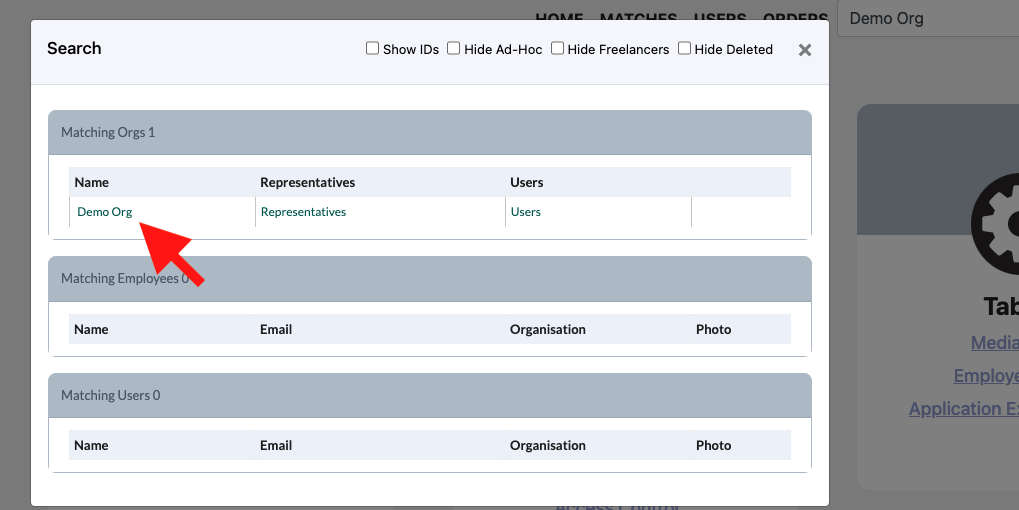
3. In the pop up click on the name of the Organisation you would like to amend
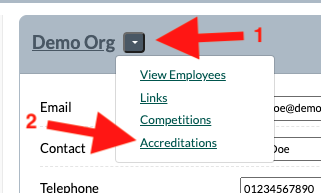
4. Click on the down arrow button next to the Organisations name and click on Accreditations
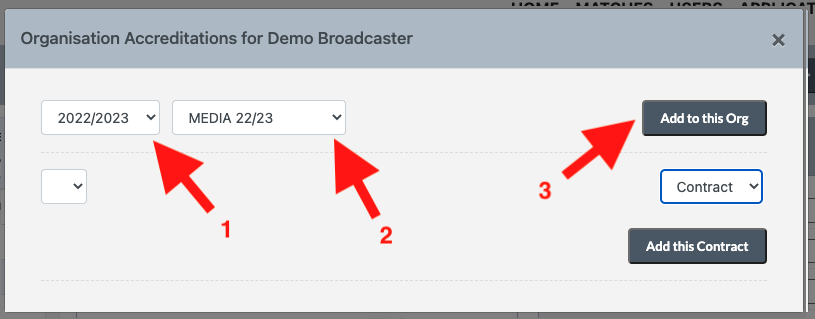
5. Ensure the correct season is selected, select from the dropdown the appropriate accreditation for the Organisation and click on Add to this Org. Repeat this step if additional accreditations will be required for the Organisation
6. Next add the contract
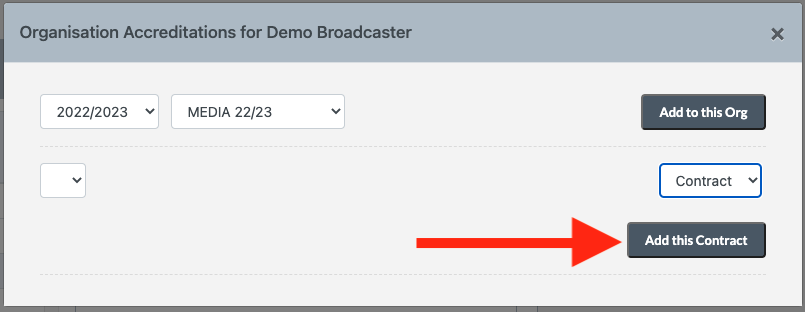
7. Close the pop up and repeat step 4.
8. Now select the accreditation from the dropdown
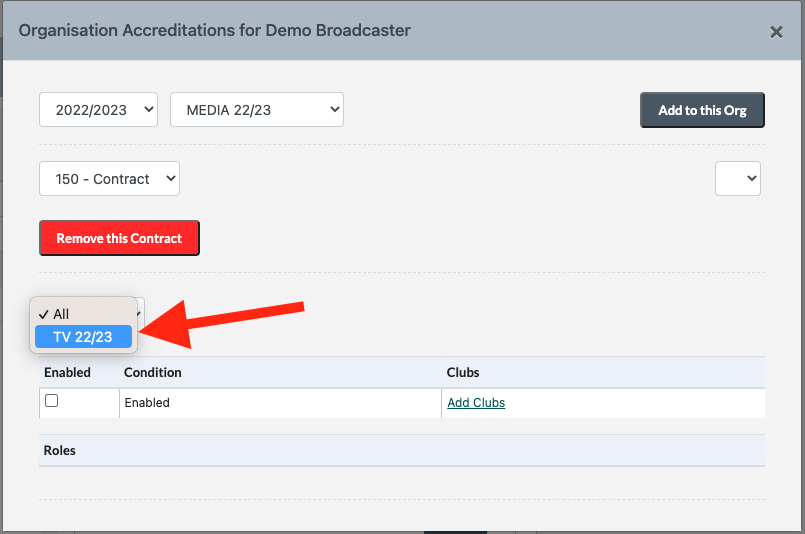
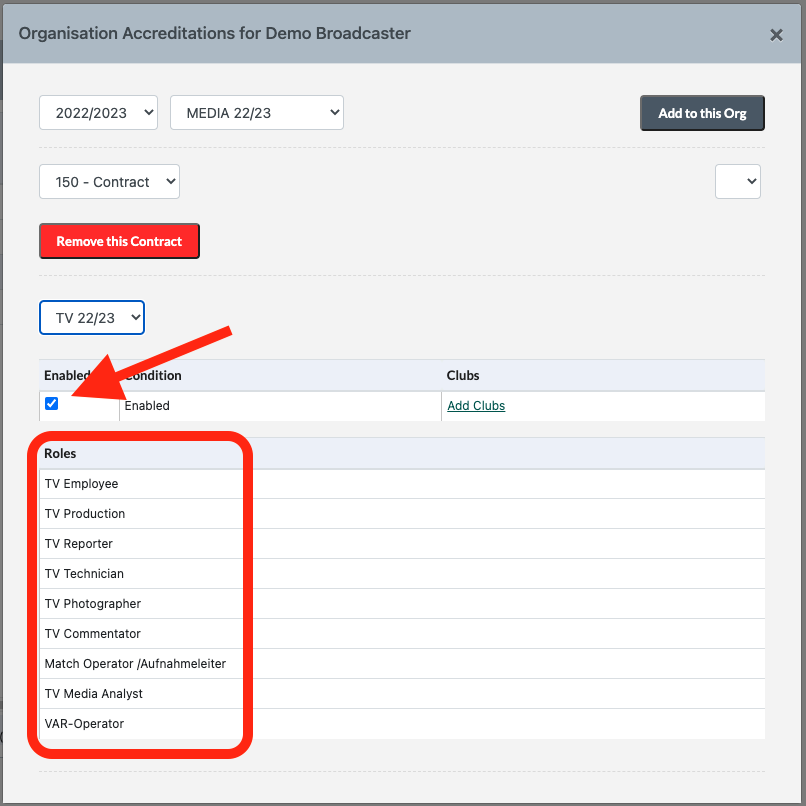
9. Check the Enabled checkbox. This will add the roles to the Organisation